STEP 1 OF 4:
YOUR PROGRESS PHOTO UPLOADS
Everybody is always little apprehensive of taking starting photos. However EVERYONE also feels AMAZING when they have a great transformation and the pics to show how far they have come.
All you need to do is:
1. Open the keystone app
2. Scroll to the Body section
3. Hit the + button (top right of screen)
4. Take a full length front, full length rear and a full length side shot.
If your keystone account isn't registered yet just store your pics on your phone so you can add them later.
NOTE: You have the option to keep the photos private to you.
FOUR BONUS TIPS ON TAKING PROGRESS PICS
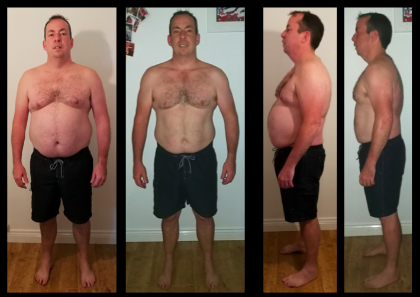
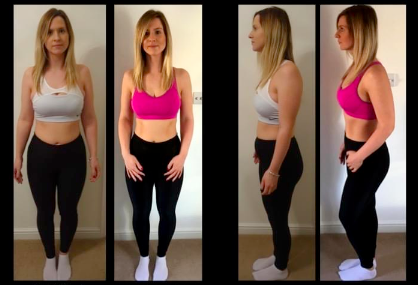
1. Find a plain wall or door background. You should be wearing as little as possible so you can identify differences easily:
2. For females we recommend a bikini or very tight fitting tops and leggings.
3. Men should be in shorts and topless or in a tight fitting top.
4. Take photos that include the ENTIRE BODY, but not leaving much photo space above the head or below the feet, so you get a clear image of the full body.
Below is an example of how to take them: you need to be able to repeat the process accurately when you come to re- take them so find somewhere that will work for that.